

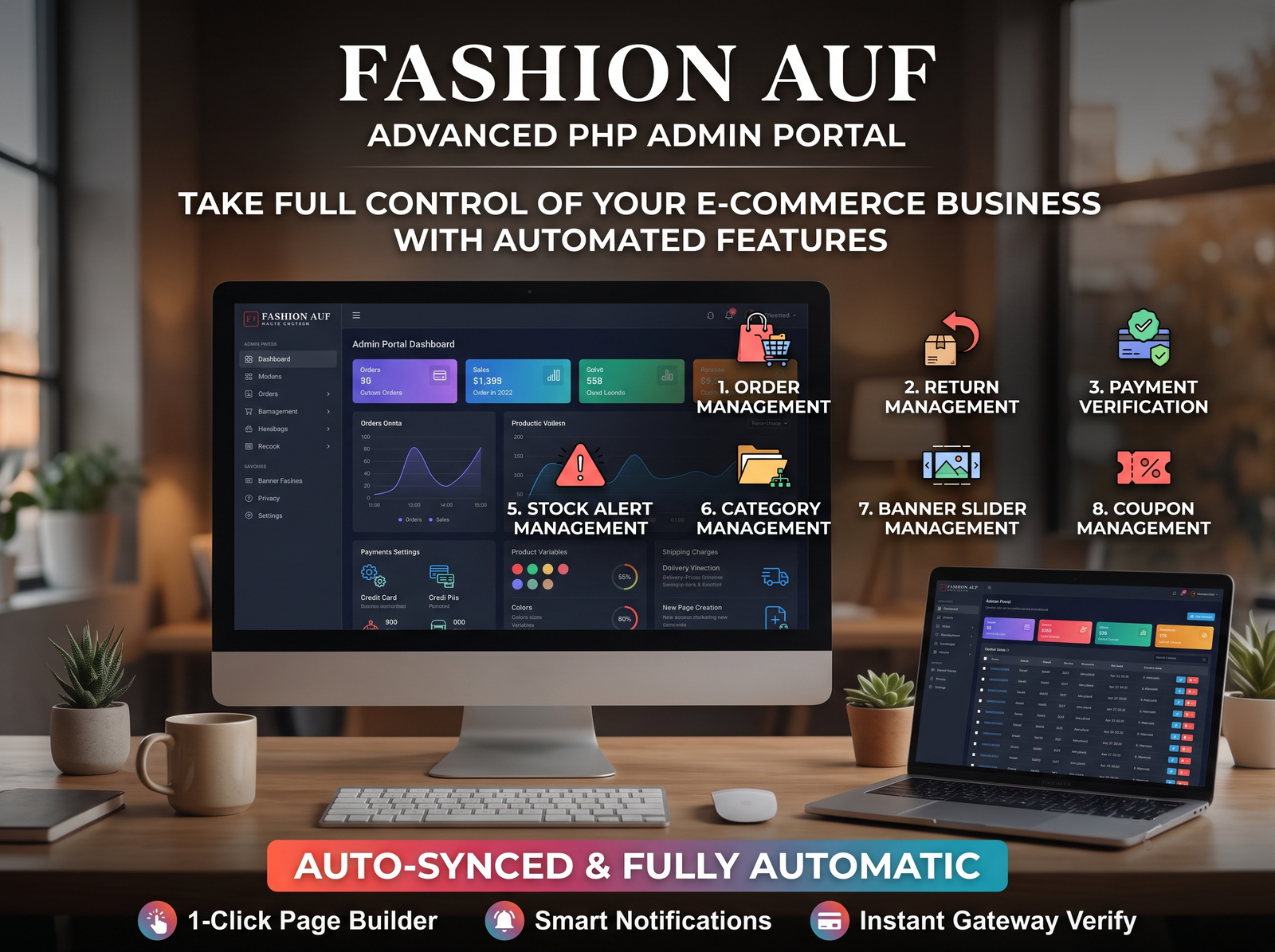

Fashion E-Commerce Website with Complete Admin Management System.
Base Price: ₹5,999.00
OFFER APPLIED
Discount:
-₹2,999.50
Price:
₹2,999.50
* Taxes (GST) will be calculated at checkout.
A complete fashion e-commerce website with a customer shopping portal and a powerful admin dashboard. Manage products, categories, variations, stock, orders, returns, COD orders, payment verification, UPI QR payments, coupons, banners, shipping charges, and website content from one centralized system.
🛡️ Return Policy
We offer a 14-day money-back guarantee. If you are not satisfied with your purchase, contact our support team within 14 days of your purchase for a full refund.
💡 Support Details
Your purchase includes 6 months of premium technical support. You can open a ticket via your dashboard to get help from our developers directly.
Product Description
Product Overview
A complete, feature-rich Fashion E-Commerce Website designed to sell fashion products online with a smooth customer shopping experience and a powerful, centralized Admin Management System. The platform allows customers to browse products, explore categories, view product details, select product variations, place orders, and complete the checkout process conveniently.
The website includes a comprehensive admin dashboard that enables the administrator to manage the entire online store, including products, inventory, orders, payments, shipping, promotional offers, banners, and website content from one place.
## 1. Customer Website Features
### Homepage Management and Shopping Experience
- Modern, responsive fashion e-commerce homepage.
- Attractive promotional banners and image sliders.
- Featured products, new arrivals, best sellers, and popular products.
- Product categories and subcategories.
- Product search and browsing functionality.
- Product cards with images, names, prices, and availability.
- Product details pages with complete product information.
- Related and recommended products.
- Mobile, tablet, and desktop compatibility.
### Product Details and Variations
- Multiple product images and product gallery.
- Product descriptions, pricing, and availability.
- Product variations such as size, color, and other attributes.
- Variation-specific prices and stock availability, where configured.
- Selection of available product variations before purchase.
- Add to Cart and Buy Now functionality.
- Clear display of product availability and pricing.
### Shopping Cart and Checkout
- Add, remove, and update products in the shopping cart.
- Adjust product quantities.
- Automatic calculation of subtotal, discounts, shipping charges, and final payable amount.
- Apply valid coupon codes during checkout.
- Customer information and delivery address form.
- Order summary before order confirmation.
- Support for guest checkout or customer login, depending on configuration.
- Direct checkout through Buy Now when the customer is eligible to proceed.
### Order Placement and Payment
- Cash on Delivery (COD) payment option.
- UPI QR Code payment option.
- Display of payment instructions and QR code.
- Payment reference or transaction details submission, where required.
- Payment verification workflow for UPI orders.
- Order confirmation and order status tracking.
- Clear distinction between pending, verified, successful, and failed payment states.
- Order history and order details for customers.
### Customer Account
- Customer registration and login.
- Customer profile management.
- Saved delivery information, where supported.
- View previous orders and current order status.
- Access order details and payment status.
- Submit return requests for eligible orders.
- View return request status and updates.
## 2. Admin Dashboard and Store Management
### Dashboard Overview
- Centralized admin dashboard.
- Overview of total products, customers, orders, sales, and pending activities.
- Quick access to order management, product management, and payment verification.
- Important stock alerts and pending administrative tasks.
### Product Management
- Add new products and edit existing products.
- Delete or deactivate products.
- Manage product names, descriptions, prices, discounts, and images.
- Configure product availability and publication status.
- Manage product categories and subcategories.
- Upload multiple product images.
- Manage product variations such as size, color, and other attributes.
- Configure variation-specific pricing and stock, where supported.
### Category Management
- Create, edit, and delete product categories.
- Manage subcategories.
- Assign products to appropriate categories.
- Control category visibility on the customer website.
### Inventory and Stock Alert Management
- Manage product stock quantities.
- Track stock availability.
- Update inventory when orders are processed according to the configured order workflow.
- Display out-of-stock products appropriately.
- Generate low-stock alerts.
- Manage inventory for individual product variations where applicable.
### Order Management
- View and manage all customer orders.
- Access customer details, ordered products, quantities, and order totals.
- View payment methods and payment statuses.
- Update order statuses through the configured order workflow.
- Manage pending, confirmed, processing, shipped, delivered, and cancelled orders, as applicable.
- Search and filter orders.
- View individual order details and order history.
### COD Order Management
- Identify Cash on Delivery orders.
- Manage COD order confirmation and processing.
- Track COD order delivery and completion status.
- Manage eligible COD cancellations and returns.
- Maintain clear order records for administrative review.
### Return and Refund Management
- View customer return requests.
- Review return reasons and order information.
- Approve or reject return requests.
- Update return processing statuses.
- Manage refund status and related records.
- Maintain a record of return and refund activities.
### Payment Verification Management
- View orders requiring manual payment verification.
- Review customer-submitted UPI transaction references or payment details.
- Verify payments before marking them as paid.
- Approve or reject submitted payment information.
- Update the payment status after verification.
- Maintain payment verification records.
- Prevent an unverified payment from being incorrectly marked as successfully paid.
### Payment Gateway and Payment Method Settings
- Enable or disable Cash on Delivery.
- Enable or disable UPI QR Code payments.
- Configure the UPI payment details and QR code used for customer payments.
- Configure payment instructions displayed during checkout.
- Manage the availability of supported payment methods.
- Maintain separate payment and order statuses.
**Note:** UPI QR payment verification is manual unless a payment gateway or automated verification API is integrated.
### Coupon Management
- Create and manage discount coupon codes.
- Configure fixed-amount or percentage-based discounts.
- Set coupon validity periods.
- Configure minimum order values and applicable restrictions.
- Enable or disable coupons.
- Apply coupon rules during checkout.
### Banner and Slider Management
- Add, edit, and remove homepage banners.
- Upload promotional images.
- Configure banner titles, descriptions, and links where supported.
- Manage homepage image sliders.
- Activate or deactivate promotional banners.
- Update promotional content without modifying the website code.
### Shipping Charge Management
- Configure shipping charges.
- Set applicable shipping rules according to the supported configuration.
- Define free-shipping conditions, if required.
- Display applicable shipping charges during checkout.
- Include shipping costs in the final order total.
### Page and Website Content Management
- Create and manage website pages.
- Edit page titles and content.
- Manage About Us, Contact Us, Privacy Policy, Terms and Conditions, Shipping Policy, and Return and Refund Policy pages.
- Update customer-facing informational content through the admin panel.
- Display relevant policies and information on the website.
## 3. Customer and Store Administration
- View registered customer information.
- Access customer order history.
- Search and manage customer records.
- Review customer-related order and payment information.
- Maintain centralized records for store operations.
## 4. Responsive Design and Usability
- Responsive interface for desktop, tablet, and mobile devices.
- User-friendly navigation and category menus.
- Consistent fashion-focused visual design.
- Clear product images, prices, and purchase buttons.
- Easy-to-use checkout and payment interfaces.
- Organized admin dashboard for efficient store management.
## 5. Centralized Store Management
The complete platform is designed to let the administrator control the main operations of the fashion e-commerce business from a single dashboard, including:
- Products and product variations.
- Categories and subcategories.
- Inventory and low-stock alerts.
- Customer orders and COD orders.
- Returns and refunds.
- Payment verification.
- UPI QR and COD payment settings.
- Coupons and promotional discounts.
- Homepage banners and sliders.
- Shipping charges.
- Website pages and content.
- Customer records and order history.
## Conclusion
This Fashion E-Commerce Website provides an integrated online shopping and store administration solution. Customers can browse fashion products, select variations, place orders, choose supported payment methods, and track their purchases. Administrators can manage products, stock, orders, returns, payment verification, promotions, shipping, and website content through a centralized dashboard.
The goal is to simplify online fashion retail operations while providing customers with a convenient shopping experience and administrators with effective control over the store.
**Important:** The features described above represent the intended product scope. Any feature that is not already implemented in the demo website may require additional development or configuration.
A complete, feature-rich Fashion E-Commerce Website designed to sell fashion products online with a smooth customer shopping experience and a powerful, centralized Admin Management System. The platform allows customers to browse products, explore categories, view product details, select product variations, place orders, and complete the checkout process conveniently.
The website includes a comprehensive admin dashboard that enables the administrator to manage the entire online store, including products, inventory, orders, payments, shipping, promotional offers, banners, and website content from one place.
## 1. Customer Website Features
### Homepage Management and Shopping Experience
- Modern, responsive fashion e-commerce homepage.
- Attractive promotional banners and image sliders.
- Featured products, new arrivals, best sellers, and popular products.
- Product categories and subcategories.
- Product search and browsing functionality.
- Product cards with images, names, prices, and availability.
- Product details pages with complete product information.
- Related and recommended products.
- Mobile, tablet, and desktop compatibility.
### Product Details and Variations
- Multiple product images and product gallery.
- Product descriptions, pricing, and availability.
- Product variations such as size, color, and other attributes.
- Variation-specific prices and stock availability, where configured.
- Selection of available product variations before purchase.
- Add to Cart and Buy Now functionality.
- Clear display of product availability and pricing.
### Shopping Cart and Checkout
- Add, remove, and update products in the shopping cart.
- Adjust product quantities.
- Automatic calculation of subtotal, discounts, shipping charges, and final payable amount.
- Apply valid coupon codes during checkout.
- Customer information and delivery address form.
- Order summary before order confirmation.
- Support for guest checkout or customer login, depending on configuration.
- Direct checkout through Buy Now when the customer is eligible to proceed.
### Order Placement and Payment
- Cash on Delivery (COD) payment option.
- UPI QR Code payment option.
- Display of payment instructions and QR code.
- Payment reference or transaction details submission, where required.
- Payment verification workflow for UPI orders.
- Order confirmation and order status tracking.
- Clear distinction between pending, verified, successful, and failed payment states.
- Order history and order details for customers.
### Customer Account
- Customer registration and login.
- Customer profile management.
- Saved delivery information, where supported.
- View previous orders and current order status.
- Access order details and payment status.
- Submit return requests for eligible orders.
- View return request status and updates.
## 2. Admin Dashboard and Store Management
### Dashboard Overview
- Centralized admin dashboard.
- Overview of total products, customers, orders, sales, and pending activities.
- Quick access to order management, product management, and payment verification.
- Important stock alerts and pending administrative tasks.
### Product Management
- Add new products and edit existing products.
- Delete or deactivate products.
- Manage product names, descriptions, prices, discounts, and images.
- Configure product availability and publication status.
- Manage product categories and subcategories.
- Upload multiple product images.
- Manage product variations such as size, color, and other attributes.
- Configure variation-specific pricing and stock, where supported.
### Category Management
- Create, edit, and delete product categories.
- Manage subcategories.
- Assign products to appropriate categories.
- Control category visibility on the customer website.
### Inventory and Stock Alert Management
- Manage product stock quantities.
- Track stock availability.
- Update inventory when orders are processed according to the configured order workflow.
- Display out-of-stock products appropriately.
- Generate low-stock alerts.
- Manage inventory for individual product variations where applicable.
### Order Management
- View and manage all customer orders.
- Access customer details, ordered products, quantities, and order totals.
- View payment methods and payment statuses.
- Update order statuses through the configured order workflow.
- Manage pending, confirmed, processing, shipped, delivered, and cancelled orders, as applicable.
- Search and filter orders.
- View individual order details and order history.
### COD Order Management
- Identify Cash on Delivery orders.
- Manage COD order confirmation and processing.
- Track COD order delivery and completion status.
- Manage eligible COD cancellations and returns.
- Maintain clear order records for administrative review.
### Return and Refund Management
- View customer return requests.
- Review return reasons and order information.
- Approve or reject return requests.
- Update return processing statuses.
- Manage refund status and related records.
- Maintain a record of return and refund activities.
### Payment Verification Management
- View orders requiring manual payment verification.
- Review customer-submitted UPI transaction references or payment details.
- Verify payments before marking them as paid.
- Approve or reject submitted payment information.
- Update the payment status after verification.
- Maintain payment verification records.
- Prevent an unverified payment from being incorrectly marked as successfully paid.
### Payment Gateway and Payment Method Settings
- Enable or disable Cash on Delivery.
- Enable or disable UPI QR Code payments.
- Configure the UPI payment details and QR code used for customer payments.
- Configure payment instructions displayed during checkout.
- Manage the availability of supported payment methods.
- Maintain separate payment and order statuses.
**Note:** UPI QR payment verification is manual unless a payment gateway or automated verification API is integrated.
### Coupon Management
- Create and manage discount coupon codes.
- Configure fixed-amount or percentage-based discounts.
- Set coupon validity periods.
- Configure minimum order values and applicable restrictions.
- Enable or disable coupons.
- Apply coupon rules during checkout.
### Banner and Slider Management
- Add, edit, and remove homepage banners.
- Upload promotional images.
- Configure banner titles, descriptions, and links where supported.
- Manage homepage image sliders.
- Activate or deactivate promotional banners.
- Update promotional content without modifying the website code.
### Shipping Charge Management
- Configure shipping charges.
- Set applicable shipping rules according to the supported configuration.
- Define free-shipping conditions, if required.
- Display applicable shipping charges during checkout.
- Include shipping costs in the final order total.
### Page and Website Content Management
- Create and manage website pages.
- Edit page titles and content.
- Manage About Us, Contact Us, Privacy Policy, Terms and Conditions, Shipping Policy, and Return and Refund Policy pages.
- Update customer-facing informational content through the admin panel.
- Display relevant policies and information on the website.
## 3. Customer and Store Administration
- View registered customer information.
- Access customer order history.
- Search and manage customer records.
- Review customer-related order and payment information.
- Maintain centralized records for store operations.
## 4. Responsive Design and Usability
- Responsive interface for desktop, tablet, and mobile devices.
- User-friendly navigation and category menus.
- Consistent fashion-focused visual design.
- Clear product images, prices, and purchase buttons.
- Easy-to-use checkout and payment interfaces.
- Organized admin dashboard for efficient store management.
## 5. Centralized Store Management
The complete platform is designed to let the administrator control the main operations of the fashion e-commerce business from a single dashboard, including:
- Products and product variations.
- Categories and subcategories.
- Inventory and low-stock alerts.
- Customer orders and COD orders.
- Returns and refunds.
- Payment verification.
- UPI QR and COD payment settings.
- Coupons and promotional discounts.
- Homepage banners and sliders.
- Shipping charges.
- Website pages and content.
- Customer records and order history.
## Conclusion
This Fashion E-Commerce Website provides an integrated online shopping and store administration solution. Customers can browse fashion products, select variations, place orders, choose supported payment methods, and track their purchases. Administrators can manage products, stock, orders, returns, payment verification, promotions, shipping, and website content through a centralized dashboard.
The goal is to simplify online fashion retail operations while providing customers with a convenient shopping experience and administrators with effective control over the store.
**Important:** The features described above represent the intended product scope. Any feature that is not already implemented in the demo website may require additional development or configuration.