
Computer Center Management System (Web-Based Automation Suite)
Base Price: ₹14,999.00
OFFER APPLIED
Discount:
-₹8,999.40
Price:
₹5,999.60
* Taxes (GST) will be calculated at checkout.
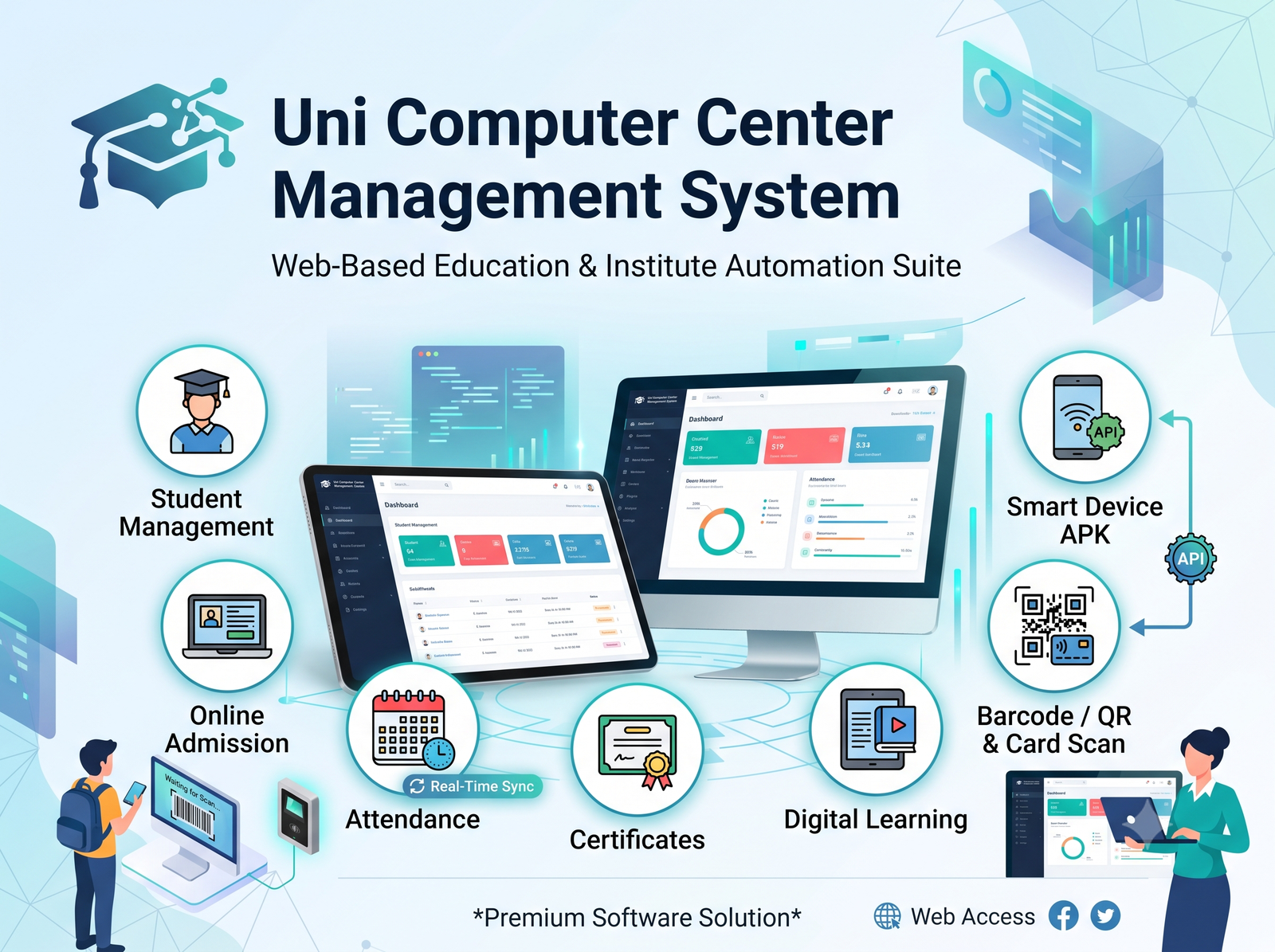
Computer Center Management System is an all-in-one cloud-based automation platform designed for computer training institutes, coaching centers, and educational academies. It simplifies online admissions, course and student management, fee collection, examinations, certificates, learning resources, staff operations, and real-time reporting. The system also supports optional QR/card-based hardware attendance integration through an Android APK and API, providing a complete digital solution for modern education centers.
🛡️ Return Policy
We offer a 14-day money-back guarantee. If you are not satisfied with your purchase, contact our support team within 14 days of your purchase for a full refund.
💡 Support Details
Your purchase includes 6 months of premium technical support. You can open a ticket via your dashboard to get help from our developers directly.
Product Description
An all-in-one, fully automated cloud-based management platform built specifically for computer training institutes, coaching centers, and educational academies. The platform streamlines admissions, student records, fee collection, examinations, and hardware-based attendance tracking.
1. Public & Landing Portal
Instant Online Admission: Enables prospective students to submit admission forms directly online.
Course Catalog: Public display of active, upcoming, and featured computer courses with full curriculum details.
Fee Payment & Dues: Integrated payment gateway and QR code support for instant fee payments and dues settlement.
Certificate & Verification: Online tool for employers and students to verify exam results and issued certificates.
Dedicated Logins: Direct access portals for Students, Teachers, and Institute Administrators.
2. Master Admin Portal
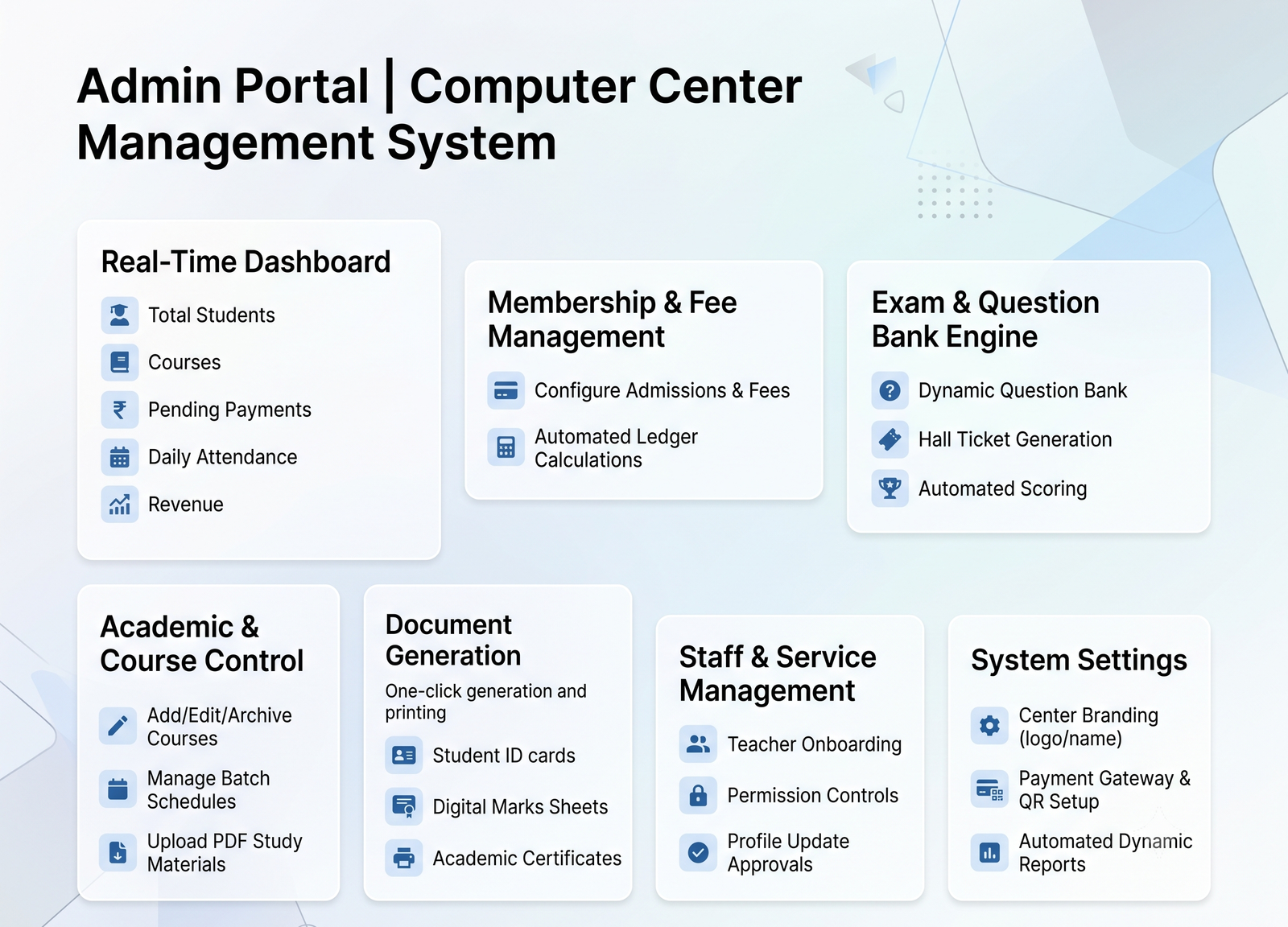
Real-Time Dashboard: Overview of total students, courses, pending payments, daily attendance, and revenue.
Academic & Course Control: Add, edit, or archive courses, manage batch schedules, and upload PDF study materials.
Membership & Fee Management: Configure one-time admissions, recurring monthly fees, or annual membership plans with automated ledger calculations.
Exam & Question Bank Engine:
Dynamic question bank with randomized question sets per course.
Hall ticket generation with unique login credentials and exam time slotting.
Automated scoring and customizable re-exam policies (free or paid).
Document Generation: One-click generation and printing of Student ID cards, digital marks sheets, and tamper-proof academic certificates.
Staff & Service Management: Teacher onboarding, permission controls, and review/approval of profile update requests.
System Settings: Center branding (logo/name), payment gateway and QR setup, exam configurations, and automated dynamic reports.
3. Student Portal
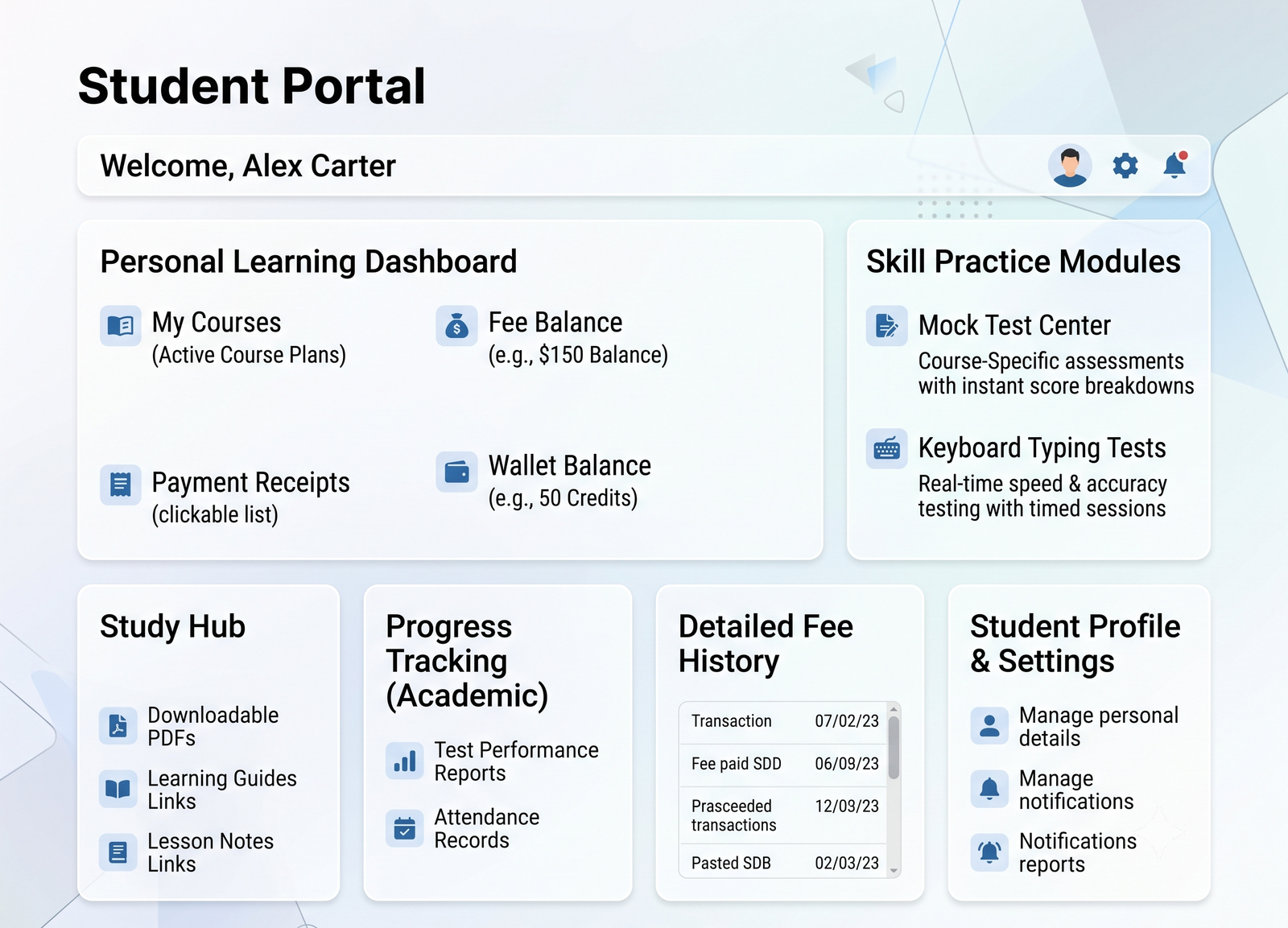
Personal Learning Dashboard: Displays active course plans, fee balance, payment receipts, and wallet balance.
Skill Practice Modules:
Mock Tests: Course-specific practice assessments with instant score breakdowns.
Keyboard Typing Tests: Real-time speed and accuracy testing with timed sessions.
Study Hub: Downloadable PDFs, learning guides, and lesson notes.
Progress Tracking: Access to test performance reports, fee transaction history, and attendance records.
4. Teacher & Staff Portal
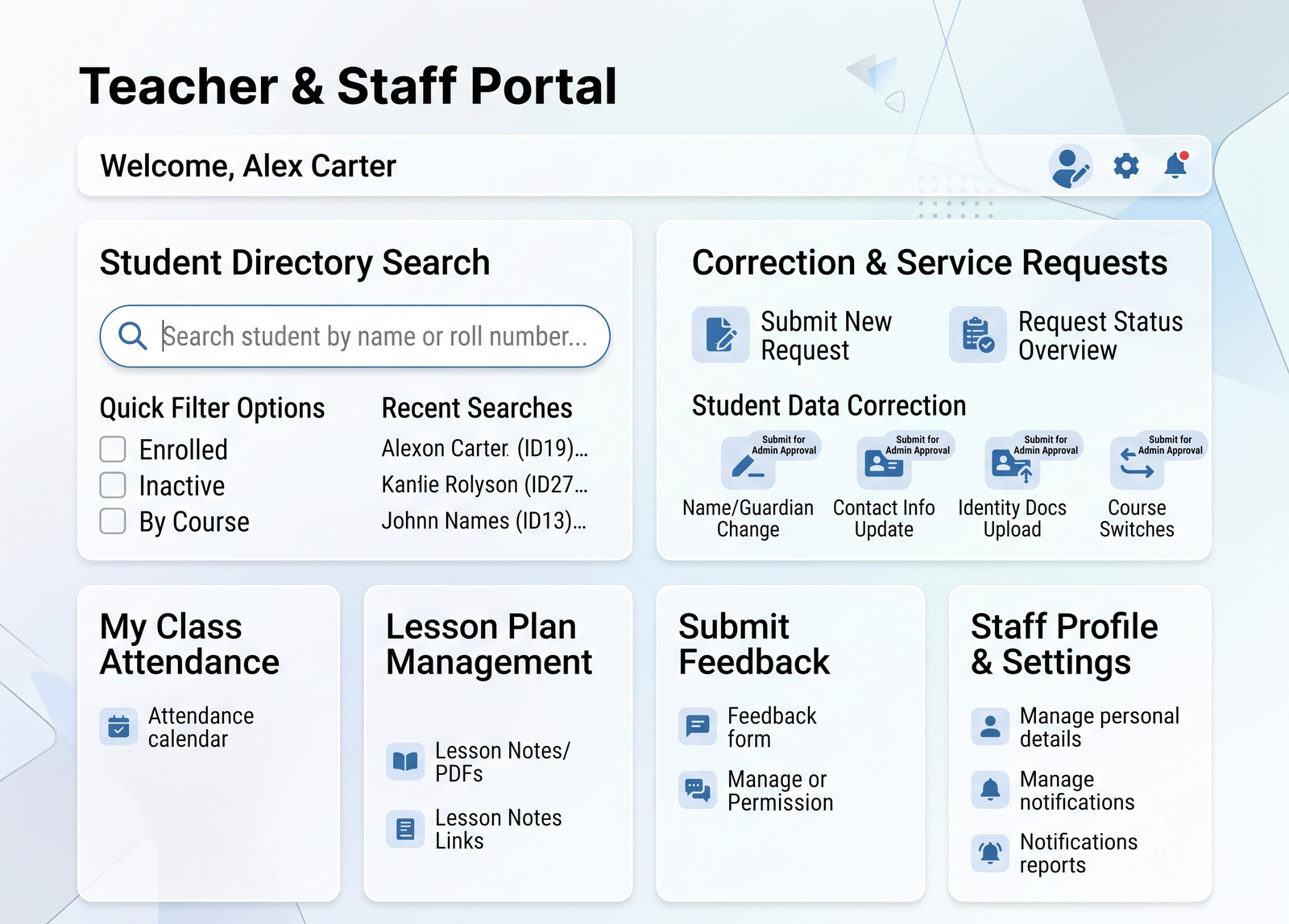
Student Directory Search: Quick search tool to access enrolled student records by name or roll number.
Correction & Service Requests: Direct submission of student data corrections (name, guardian details, contact information, identity documents, course switches) for Admin approval.
5. Hardware & API Attendance Integration (Optional Add-on)
Smart Device APK: Android/device application connected via API.
QR & Card-Based Scanning: Instant daily student attendance logging through barcode/QR scanner integration.
Automated Sync: Real-time attendance logging directly reflected on student dashboards and admin reports.
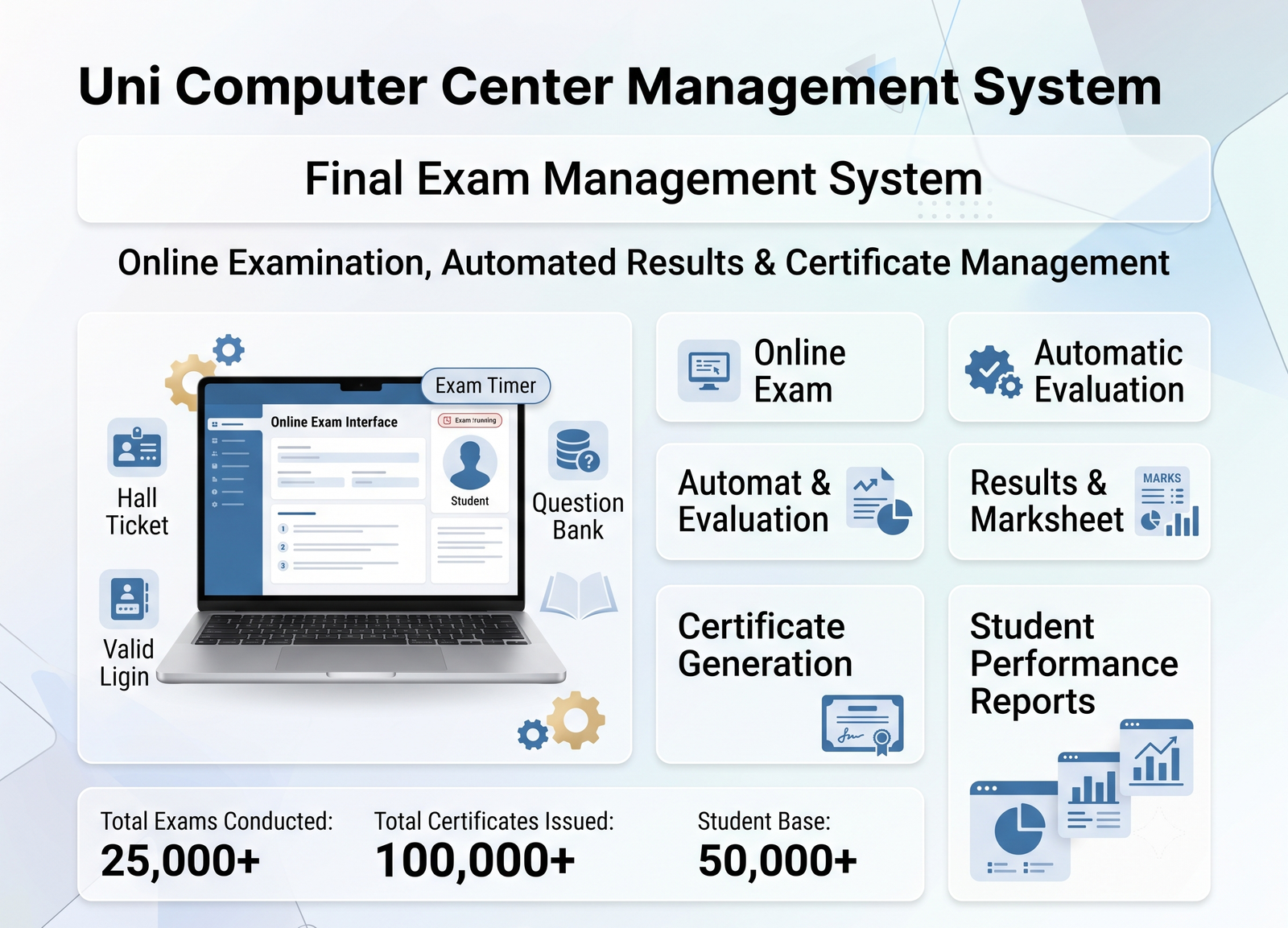
6. Final Exam Management System Requirements
Exam Creation: Create exams based on course, subject, batch, and exam type.
Question Bank: Add, edit, delete, and organize questions by course/subject.
Random Questions: Automatically generate different question sets for students from the question bank.
Exam Schedule: Set exam date, start time, duration, and available time slots.
Student Assignment: Assign exams to specific courses, batches, or students.
Hall Ticket: Automatically generate hall tickets containing student details, exam information, and unique exam credentials.
Online Exam: Students can log in and attend the exam through their Student Portal.
Timer: Display a real-time countdown timer during the examination.
Auto Submit: Automatically submit the exam when the time expires.
Automatic Evaluation: Automatically calculate marks for objective/MCQ questions.
Result Generation: Generate student-wise results, marks, percentage, grade, and pass/fail status.
Result History: Maintain complete examination and result history for every student.
Re-Exam: Admin can configure free or paid re-examination policies.
Result Publishing: Admin can review and publish results before students can view them.
Marksheet: Automatically generate and print digital marksheets.
Certificate Eligibility: Certificate generation can be linked to the final exam result and passing status.
Exam Reports: Provide course-wise, batch-wise, exam-wise, and student-wise performance reports.
Admin Controls: Admin can configure exam duration, total marks, passing marks, question count, attempts, negative marking, and re-exam settings.
Security: Prevent duplicate/unauthorized exam access using unique student exam credentials and controlled exam sessions.
Complete Workflow
Question Bank → Exam Creation → Exam Schedule → Hall Ticket → Student Exam Login → Online Examination → Auto Submission → Automatic Evaluation → Admin Review → Result Publication → Marksheet → Certificate
1. Public & Landing Portal
Instant Online Admission: Enables prospective students to submit admission forms directly online.
Course Catalog: Public display of active, upcoming, and featured computer courses with full curriculum details.
Fee Payment & Dues: Integrated payment gateway and QR code support for instant fee payments and dues settlement.
Certificate & Verification: Online tool for employers and students to verify exam results and issued certificates.
Dedicated Logins: Direct access portals for Students, Teachers, and Institute Administrators.
2. Master Admin Portal
Real-Time Dashboard: Overview of total students, courses, pending payments, daily attendance, and revenue.
Academic & Course Control: Add, edit, or archive courses, manage batch schedules, and upload PDF study materials.
Membership & Fee Management: Configure one-time admissions, recurring monthly fees, or annual membership plans with automated ledger calculations.
Exam & Question Bank Engine:
Dynamic question bank with randomized question sets per course.
Hall ticket generation with unique login credentials and exam time slotting.
Automated scoring and customizable re-exam policies (free or paid).
Document Generation: One-click generation and printing of Student ID cards, digital marks sheets, and tamper-proof academic certificates.
Staff & Service Management: Teacher onboarding, permission controls, and review/approval of profile update requests.
System Settings: Center branding (logo/name), payment gateway and QR setup, exam configurations, and automated dynamic reports.
3. Student Portal
Personal Learning Dashboard: Displays active course plans, fee balance, payment receipts, and wallet balance.
Skill Practice Modules:
Mock Tests: Course-specific practice assessments with instant score breakdowns.
Keyboard Typing Tests: Real-time speed and accuracy testing with timed sessions.
Study Hub: Downloadable PDFs, learning guides, and lesson notes.
Progress Tracking: Access to test performance reports, fee transaction history, and attendance records.
4. Teacher & Staff Portal
Student Directory Search: Quick search tool to access enrolled student records by name or roll number.
Correction & Service Requests: Direct submission of student data corrections (name, guardian details, contact information, identity documents, course switches) for Admin approval.
5. Hardware & API Attendance Integration (Optional Add-on)
Smart Device APK: Android/device application connected via API.
QR & Card-Based Scanning: Instant daily student attendance logging through barcode/QR scanner integration.
Automated Sync: Real-time attendance logging directly reflected on student dashboards and admin reports.
6. Final Exam Management System Requirements
Exam Creation: Create exams based on course, subject, batch, and exam type.
Question Bank: Add, edit, delete, and organize questions by course/subject.
Random Questions: Automatically generate different question sets for students from the question bank.
Exam Schedule: Set exam date, start time, duration, and available time slots.
Student Assignment: Assign exams to specific courses, batches, or students.
Hall Ticket: Automatically generate hall tickets containing student details, exam information, and unique exam credentials.
Online Exam: Students can log in and attend the exam through their Student Portal.
Timer: Display a real-time countdown timer during the examination.
Auto Submit: Automatically submit the exam when the time expires.
Automatic Evaluation: Automatically calculate marks for objective/MCQ questions.
Result Generation: Generate student-wise results, marks, percentage, grade, and pass/fail status.
Result History: Maintain complete examination and result history for every student.
Re-Exam: Admin can configure free or paid re-examination policies.
Result Publishing: Admin can review and publish results before students can view them.
Marksheet: Automatically generate and print digital marksheets.
Certificate Eligibility: Certificate generation can be linked to the final exam result and passing status.
Exam Reports: Provide course-wise, batch-wise, exam-wise, and student-wise performance reports.
Admin Controls: Admin can configure exam duration, total marks, passing marks, question count, attempts, negative marking, and re-exam settings.
Security: Prevent duplicate/unauthorized exam access using unique student exam credentials and controlled exam sessions.
Complete Workflow
Question Bank → Exam Creation → Exam Schedule → Hall Ticket → Student Exam Login → Online Examination → Auto Submission → Automatic Evaluation → Admin Review → Result Publication → Marksheet → Certificate